

Service overview
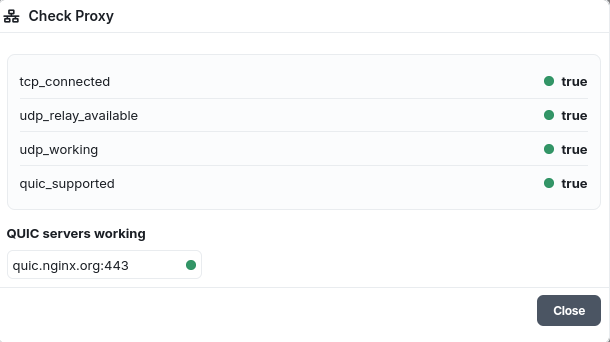
The service rents residential proxies with SOCKS5 UDP protocol support and QUIC support. Each proxy is assigned exclusively to a single client for the entire rental period.
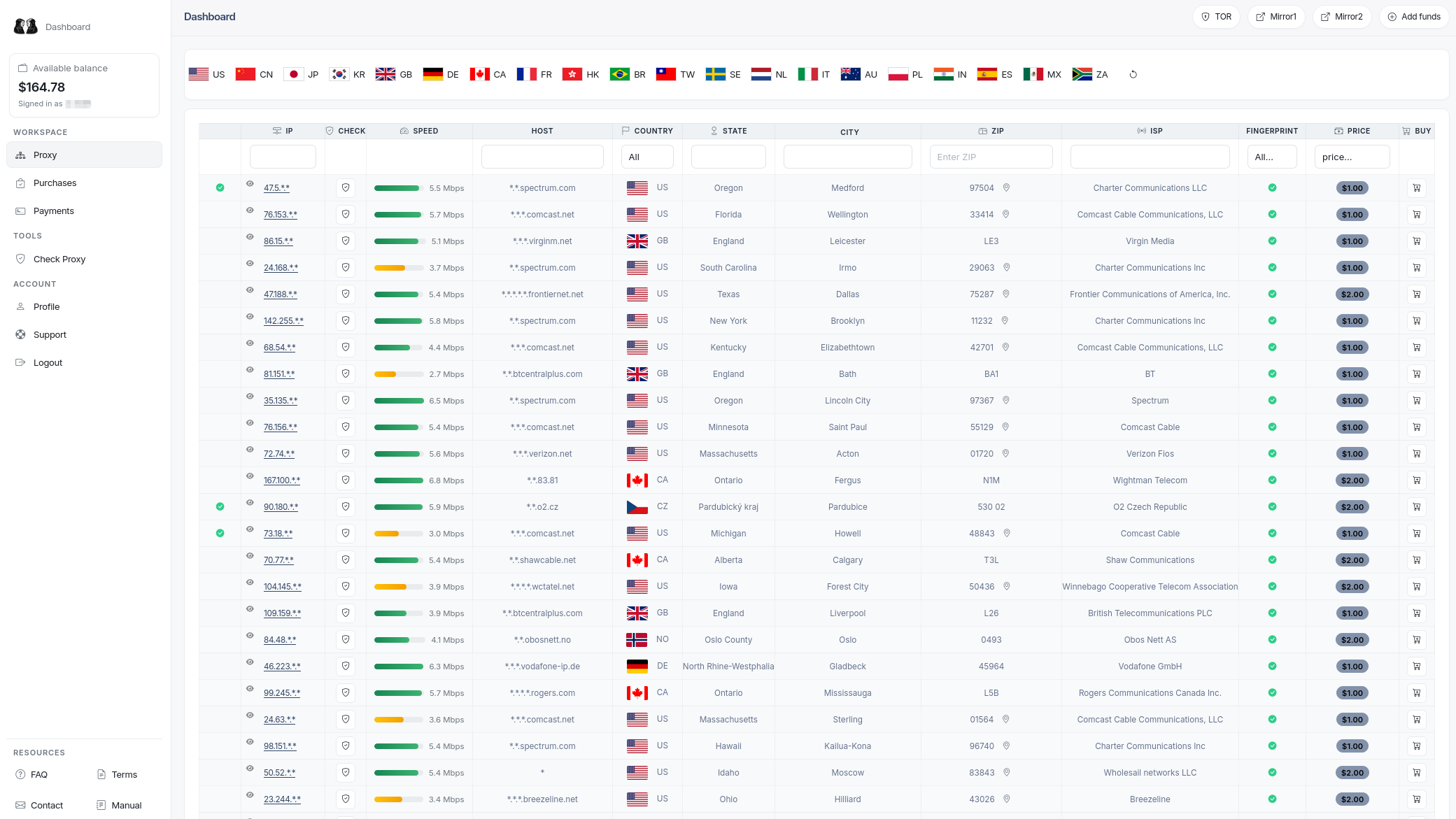
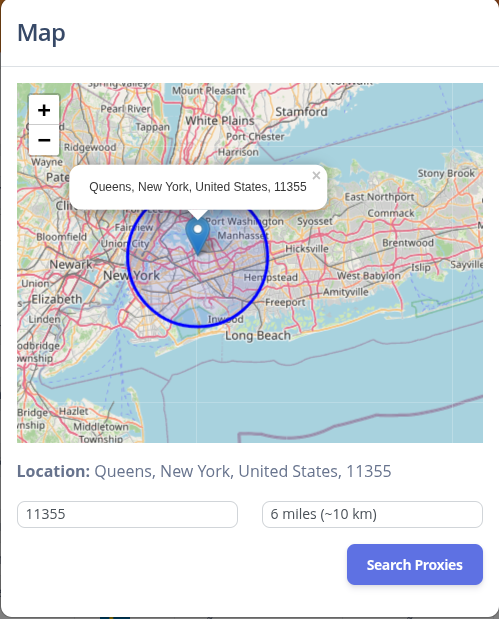
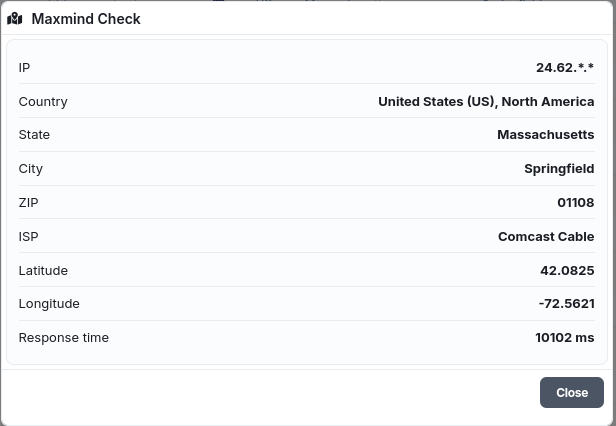
You can search proxies by IP address, city, state, ZIP code and ISP. The minimum purchase starts from $1. The price can vary depending on the IP address and its cleanliness.
What are “clean” and “dirty” proxies?
A proxy is considered clean when it is not flagged by major fraud detection systems, IP reputation databases, or blacklists. A dirty proxy may appear on one or more blacklists, be identified as a VPN/datacenter IP, or carry a high fraud risk score – such proxies can trigger additional checks (CAPTCHAs, blocks) on target websites.
How do our proxy checks work?
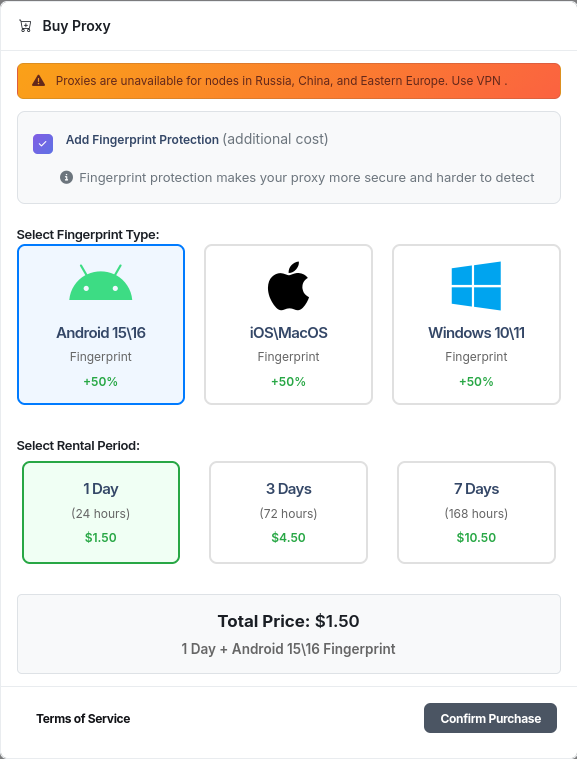
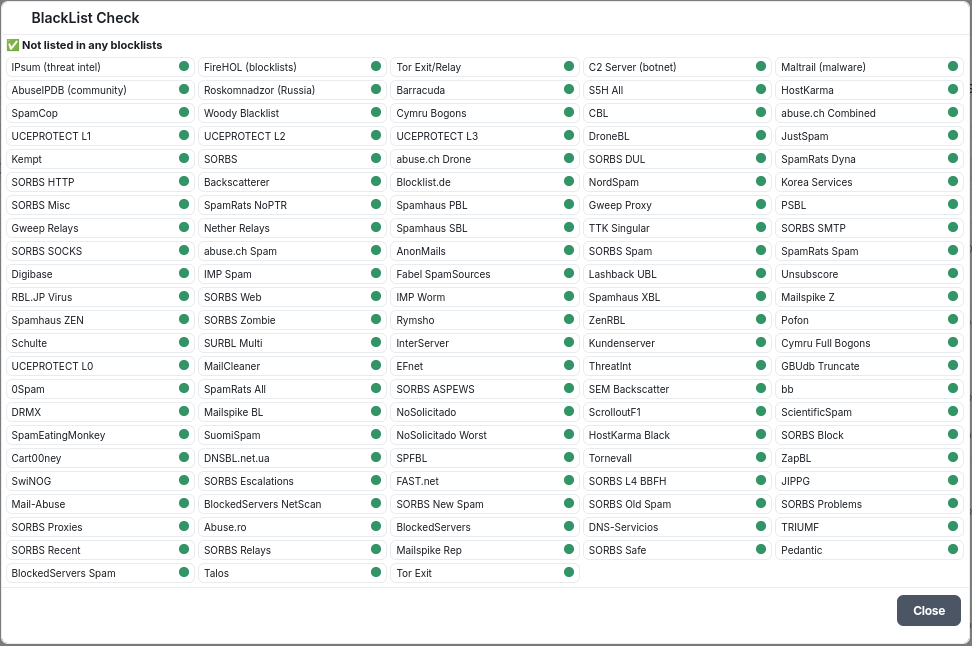
Before you buy, every proxy is automatically tested against multiple real‑time intelligence services. The results are displayed directly on the proxy card – completely free of charge. You see the exact status from each provider, so you can decide if the proxy fits your needs before committing any money.
Which checking services are used?
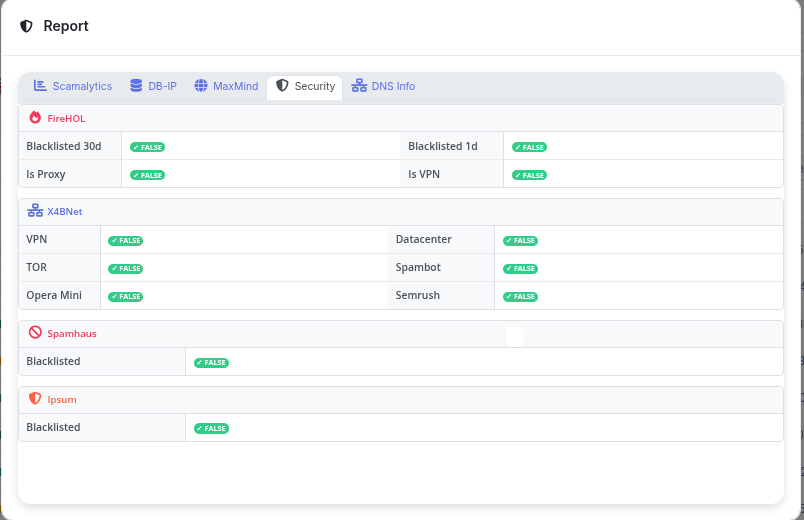
We run the following checks (all results are visible without purchase):
- Scamalytics – fraud score and IP risk assessment.
- DB‑IP – IP metadata and threat level.
- MaxMind – geolocation.
- Security – generic security flags (proxy, VPN, TOR).
- FireHOL (X4BNet) – real‑time blocklists for cyber attacks and spam.
- Spamhaus – widely used DNS‑based blocklists (DBL/ZEN).
- Ipsum – community‑driven malicious IP list.
- DNS Info – consistency of DNS resolution (leak detection).
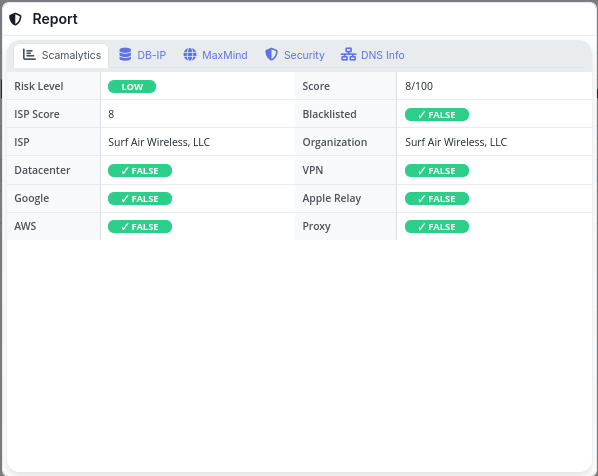
Additionally, the service includes a unique TCP fingerprint change option. During purchase you can choose whether fingerprint rotation is required. Already purchased proxies can be renewed, and the fingerprint can be changed later from your purchase history.
IP checks
- Scamalytics, DB-IP, MaxMind, Security, FireHOL, X4BNet, Spamhaus, Ipsum, DNS Info.
- X4BNet VPN, Datacenter, TOR, Spambot, Opera Mini, Semrush etc.
- DNS Leak Test, QUIC Client Test and full SOCKS5 UDP support are part of the service description.
TCP fingerprint
What is a TCP fingerprint?
A TCP fingerprint is a network‑level signature derived from the parameters and behavior of TCP packets during connection establishment. Unlike browser or TLS fingerprints, it reflects the TCP stack of the operating system (or proxy) that initiates the connection, regardless of higher‑layer protocols.
How is it determined?
When a client sends a SYN packet to start a TCP handshake, the following fields and options are examined:
- TCP options – maximum segment size (MSS), window scale, selective acknowledgements (SACK), timestamps, NOP padding, and the exact order in which they appear.
- Initial TCP window size – the advertised receive window (e.g., 65535, 29200, 5792) that varies by OS and patch level.
- TTL (Time‑to‑Live) of the IP packet – different OSes use different initial TTL values (64, 128, 255, etc.).
- DF (Don’t Fragment) flag – whether it is set by default.
- TCP timestamps – the presence of the timestamp option and the rate at which the clock increments.
- SYN‑ACK response characteristics (when active probing is used) – e.g., how the stack handles out‑of‑spec packets.
These attributes are matched against databases of known signatures (such as p0f, Ettercap, nmap OS detection) to infer the operating system: iOS, Android, Windows, Linux, macOS, etc. Passive capture of a single SYN packet is often enough. Active probes send specially crafted sequences and analyze the replies.
How do fingerprint checks work?
Anti‑fraud systems, CDNs (e.g. Cloudflare), browsers’ network stacks, and some TLS terminators passively record the TCP signature of incoming connections. They then compare it with the expected fingerprint for the claimed User‑Agent or TLS Client Hello. For example:
- A mobile app claims to be iOS 17 Safari, but the TCP fingerprint looks like a AWS Linux server → high risk.
- A browser runs on Windows 11 (TSval clock behavior, window size, options order) but the TCP signature matches an Android device → anomaly.
The check happens at the server’s network layer (before HTTP data) and is stateless from the application’s point of view. Mismatched fingerprints can trigger CAPTCHAs, connection throttling, or even silent blocking.
Why change the TCP fingerprint of a proxy?
When you route traffic through a proxy or VPN, the final server sees the proxy’s TCP stack, not your local machine’s. Aligning the proxy’s TCP fingerprint with the device/browser you are emulating helps reduce inconsistencies that anti‑bot systems detect. It does not replace browser fingerprint management, cookie hygiene, or standard security checks – it solely addresses the network‑level signature.
How to check a proxy’s TCP fingerprint?
Because TCP fingerprinting is a low‑level network property, typical browser‑based leak tests (whoer.net, browserleaks.com/ip) usually show TLS/HTTPS fingerprints (JA3, JA4), not the raw TCP signature. To inspect the actual TCP fingerprint:
- Run
p0fon a public server you control, connect through the proxy, and capture the SYN packet. Example:p0f -i eth0 'src host YOUR_PROXY_IP'. - Use an online service that deliberately echoes TCP parameters. Examples:
- https://browserleaks.com/tcp – a simple public tool that displays the raw JA4T Fingerprint signature.
- Perform a manual
tcpdumpcapture on a test server and analyze the options with Wireshark or a script that compares them against a p0f signature file.
Many modern proxy solutions (e.g., certain residential proxy managers or custom VPN configurations) allow you to override TCP parameters to mimic a specific OS. Once altered, repeat the test to verify that the fingerprint matches the desired platform profile.
🔧 Unique feature: built‑in TCP fingerprint rotation
Our service is one of the very few residential proxy providers that natively supports TCP fingerprint modification. You don’t need external tools or custom kernel tweaks – the fingerprint can be changed directly from the proxy purchase interface (at the moment of order) or later from your purchase history.
Each proxy can be assigned a specific OS fingerprint (e.g., Windows, macOS, iOS, Android) to match the device profile you are emulating. This makes our proxies practically invisible to advanced anti‑fraud systems that correlate network fingerprints with browser attributes. No other mainstream residential proxy service offers this level of network‑level customization out of the box.
Proxy2tun usage
Use the standard SOCKS5 URI format:
socks5://login:password@ip:portExample proxy2tun-style command:
proxy2tun --proxy socks5://login:[email protected]:1080 --tun tun0 --dns proxyKeep DNS resolution inside the tunnel/proxy mode where possible to avoid DNS leaks.
UDP check
To verify UDP support, start proxy2tun with the purchased SOCKS5 endpoint and run a UDP-dependent test through the tunnel. QUIC traffic is a practical UDP check because HTTP/3 uses UDP.
proxy2tun --proxy socks5://login:password@ip:port --tun tun0 --udp
curl --http3 https://cloudflare-quic.com/cdn-cgi/trace
If the QUIC request works through the tunnel and DNS is resolved through the proxy path, UDP support is functioning for that workflow.